Color picker for Chrome
Pick any color on a page, exactly.
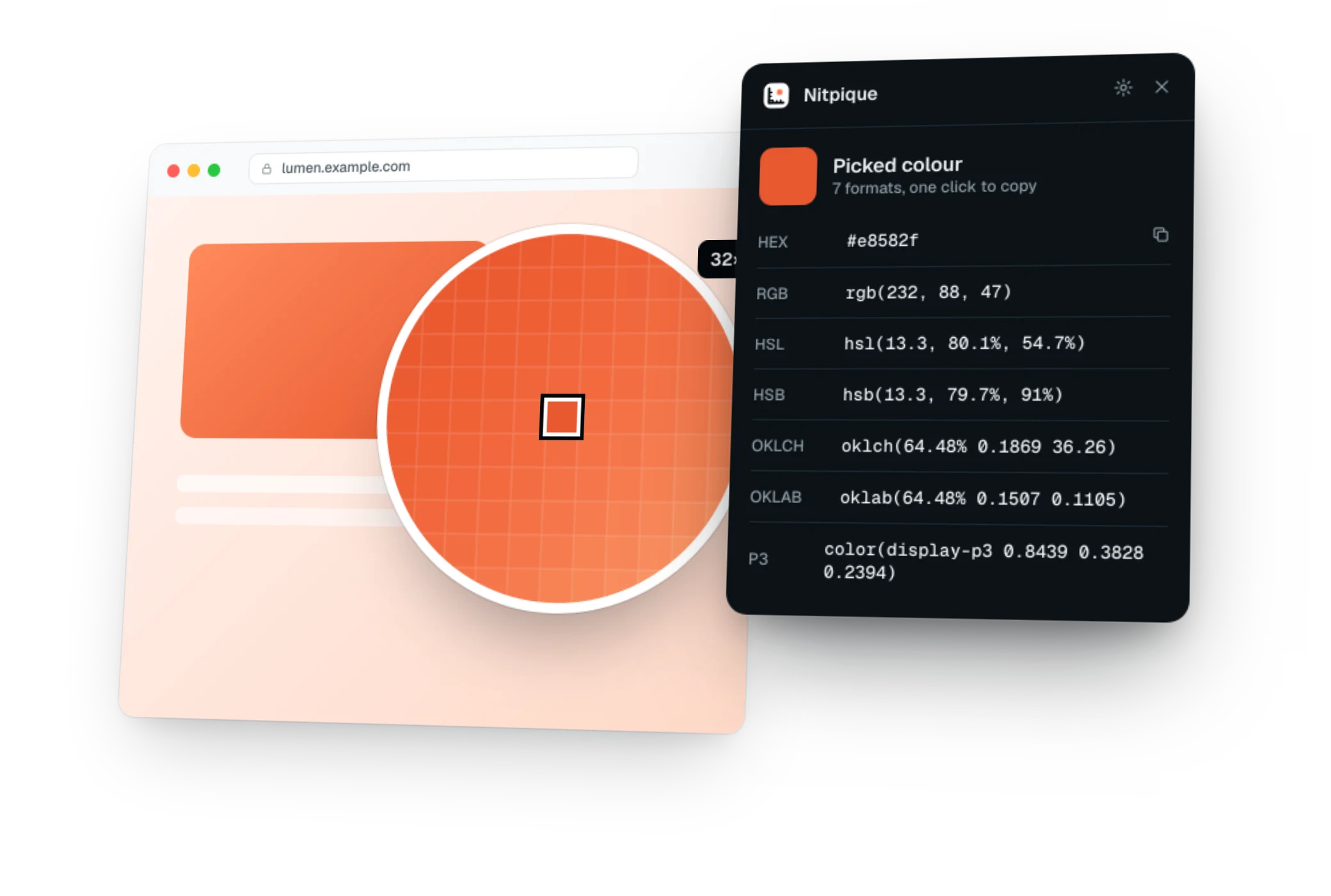
A loupe up to 32× over the real pixels names the CSS color behind them and the token that holds it, in seven formats from HEX to OKLCH.
Free · No account · Nothing sent to a server
How to use it
Three steps, then the answer.
- 1
Add Nitpique to Chrome, open any page and press Alt+Shift+M to turn it on.
- 2
Press 3 and point at a pixel. Click to copy the CSS color, or Shift-click to copy the pixel as rendered.
- 3
Press + and - to zoom up to 32×, and F to change the format. Open the Design tab for every color on the page.
What it shows
More than one number.
Colour picker with tokens
A loupe up to 32× over the real pixels that names the CSS colour behind them and the token that holds it, in seven formats.
Read the docsPage colour palette
Every colour on the page, inside web components and frames too, with what it paints and how often. Near duplicates folded together and named, to copy as CSS variables.
Read the docsDownload the design system
The page's colours, type, spacing and radii as W3C design tokens, CSS variables and a Tailwind theme, in one zip with a README.
Read the docsContrast: WCAG 2.2 and APCA
Check the selection or the whole page, worst first, and copy the nearest colour that passes.
Read the docs
How it compares: Nitpique and other color picker extensions, side by side.
Also in Nitpique
One toolbar, every tool.
The same extension measures, picks colors, finds fonts, edits pages live, audits accessibility and SEO, and annotates screenshots.
Page ruler
Hover any element for its size and the space around it. Measure the gap between two elements, drag guides from the rulers, and read it all in px, rem, em, % or viewport units.
OpenFont finder
Select any text for its font, size, weight and line height. See the whole font stack, the font the browser really drew it in, and every font the page uses.
OpenLive page editor
Change text, colors, spacing and sizes right on the page and see it at once. Then copy your changes as CSS, a diff or a prompt for your coding agent.
Open
FAQ
Questions, answered.
Still unsure? The docs walk through every tool, or ask Swapnil Gupta on GitHub or X.