Website annotation tool for Chrome
Annotate any live website.
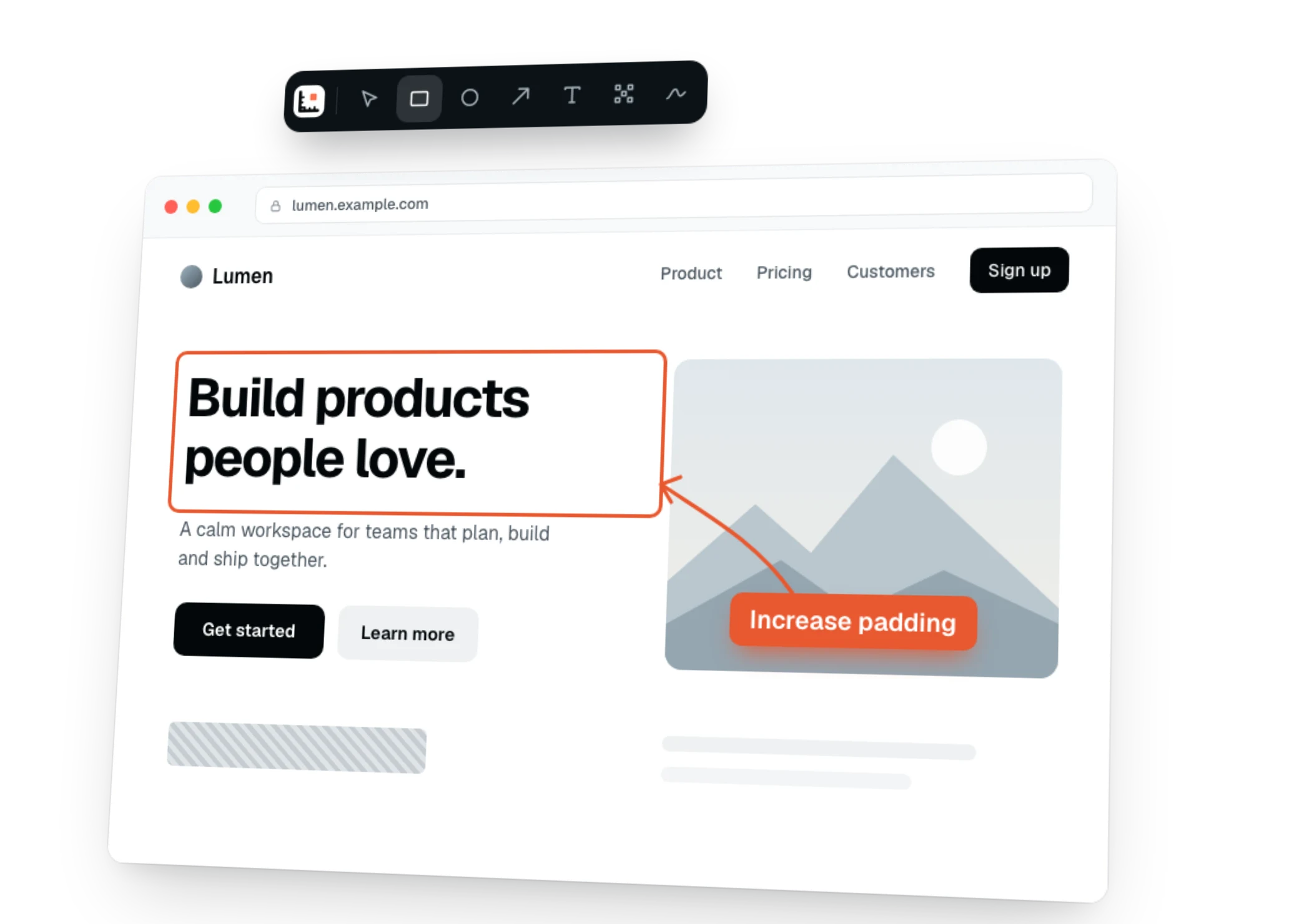
Draw on the page itself: a pen, boxes, ellipses, arrows, lines, text and redaction. Your marks stay on what they point at as the page scrolls, and a capture keeps them, so visual feedback is one screenshot away.
Free · No account · Nothing sent to a server
How to use it
Three steps, then the answer.
- 1
Add Nitpique to Chrome, open any page and press Alt+Shift+M to turn it on.
- 2
Press A to annotate, then draw: P for the pen, R for a box, A for an arrow, T for text and X to redact anything private. The page still scrolls while you draw.
- 3
Press Capture for the visible page or the full page with your marks, then copy it, save it or open it in the Annotator to send as feedback.
What it shows
More than one number.
Annotate the page itself
Draw with a pen, boxes, arrows, lines, text and redaction straight on the live page, then capture it with the marks.
Read the docsFull-page capture with annotation
Capture the whole page, then annotate it and hide what is private.
Read the docsCapture with bug-report details
Screenshot an element, an area or the page, with measurements and a Markdown bug report.
Read the docsAnnotator on the web
Mark up screenshots and any image in the browser, free, with no extension and no account.
Read the docsCapture shortcut
Press S to capture the selected element, or the visible page when nothing is selected.
Read the docs
How it compares: Nitpique and other design QA tools, side by side. Step by step: how to give visual feedback on a website.
Also in Nitpique
One toolbar, every tool.
The same extension measures, picks colors, finds fonts, edits pages live, audits accessibility and SEO, and annotates screenshots.
Page ruler
Hover any element for its size and the space around it. Measure the gap between two elements, drag guides from the rulers, and read it all in px, rem, em, % or viewport units.
OpenFont finder
Select any text for its font, size, weight and line height. See every font the page uses, what the browser really drew, and where to get each one: free open-licence fonts straight from their source.
OpenColor picker
A loupe up to 32× over the real pixels names the CSS color behind them and the token that holds it, in seven formats from HEX to OKLCH.
OpenLive page editor
Edit the CSS and text of any website right on the page and see it at once: colors, spacing, sizes and layout. Then copy your changes as CSS, a diff or a prompt for your coding agent.
Open
FAQ
Questions, answered.
Still unsure? The docs walk through every tool, or ask Swapnil Gupta on GitHub or X.